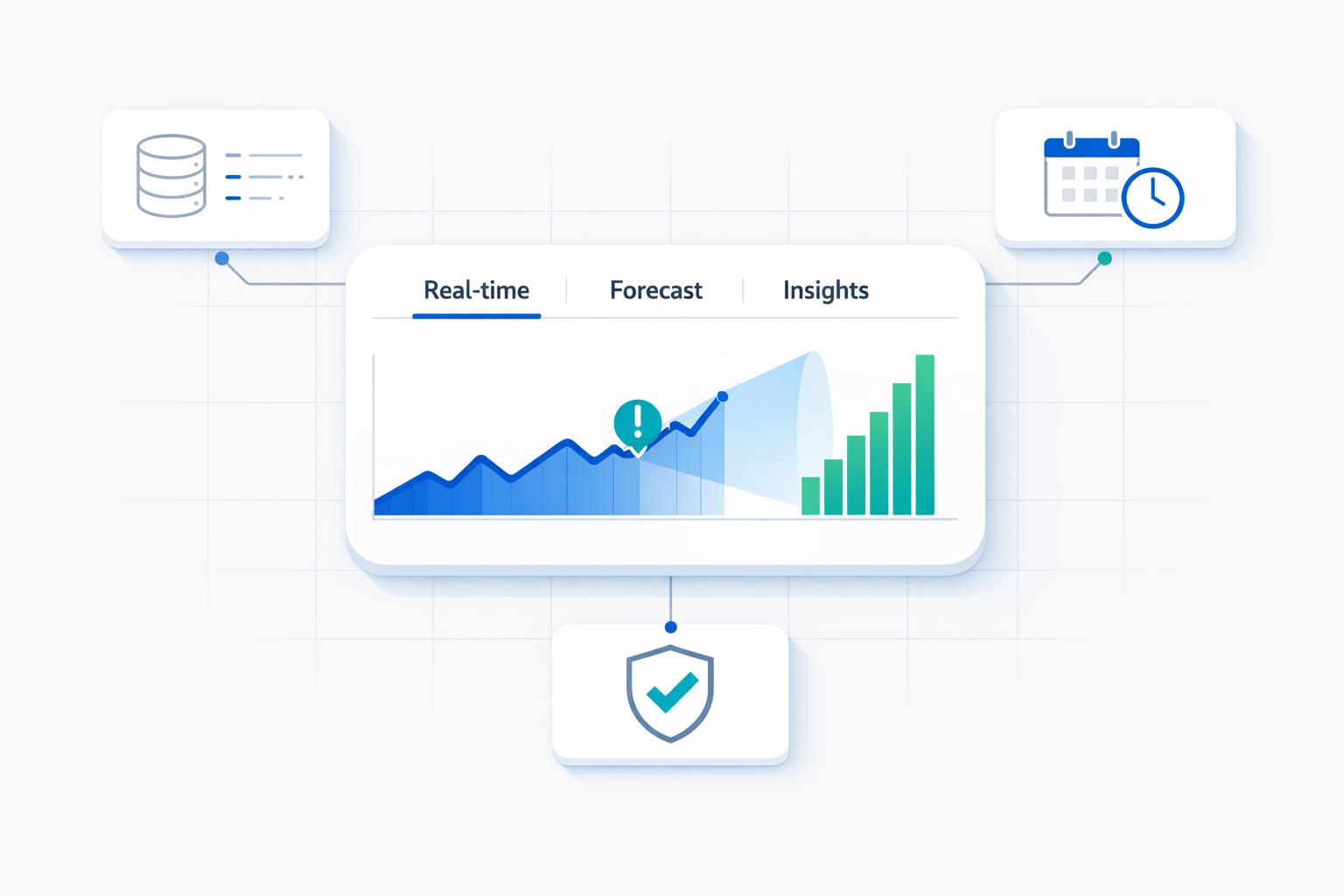
I use real-time workforce data to spot delays - not to decide who works hardest. Before changing staffing or budgets, I’d test one workflow against a 4–8-week baseline, tracking accepted output per paid hour, quality, and total cost.
Why test first? One customer-support study found about 15% more issues resolved per hour, while a study of experienced developers found AI-assisted tasks took 19% longer. Different work can produce different results.
Here’s what I’d check:
- Work and quality: Backlogs, handoffs, review time, errors, and rework - not clicks or hours online.
- Costs and cash: Reconciled payroll, contractor bills, and accounting records, with a budget case that assumes no productivity gain.
- Data and decisions: Clear update times, limited employee data collection, access controls, bias checks, and human review before employment decisions.
My rule: <u>Time saved is not money saved</u> unless spending falls, a hire is avoided, or accepted output increases without lowering quality.
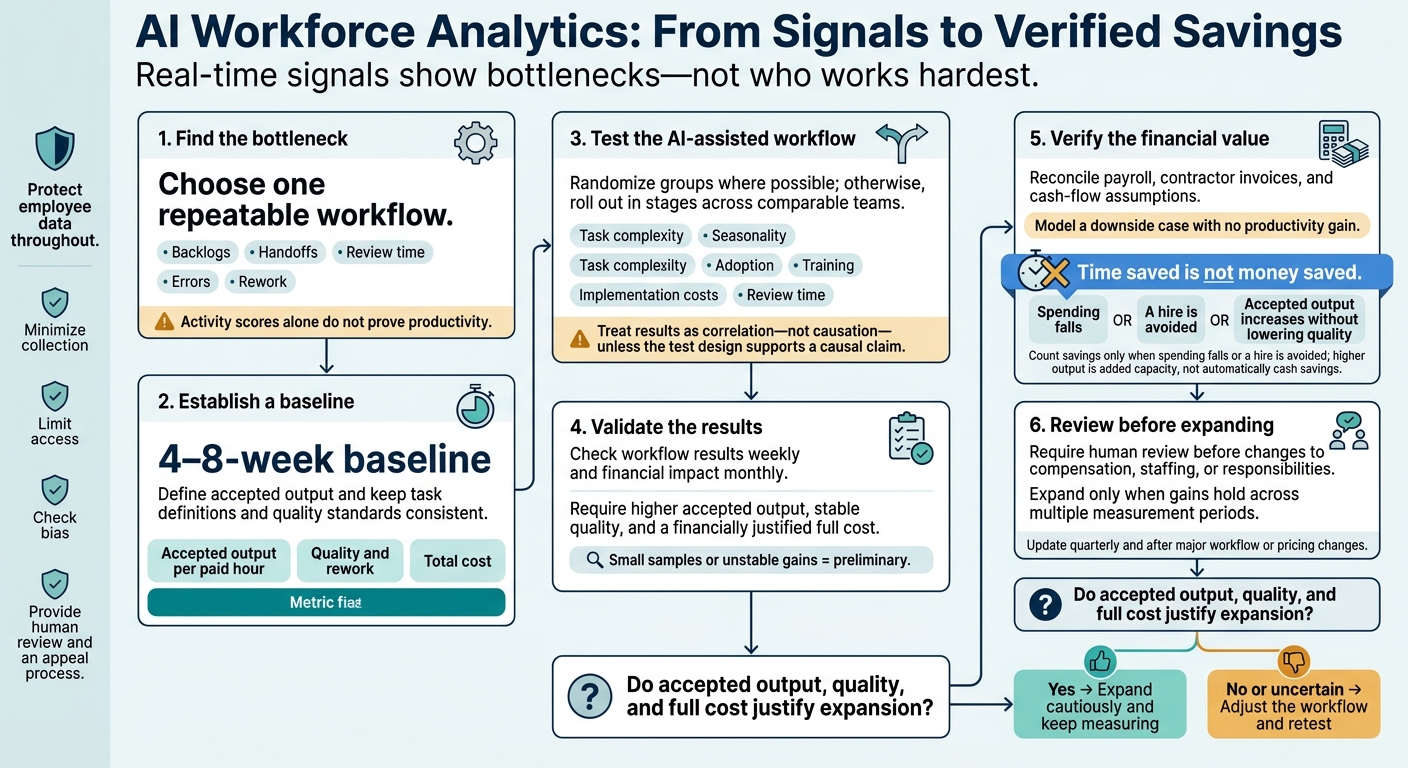
AI Workforce Analytics: From Signals to Verified Savings
How to Measure AI Impact on Business Productivity
sbb-itb-17e8ec9
What Research Shows About AI Productivity
Before adding headcount, startups should separate AI-assisted work studies from workforce dashboards. Studies test productivity effects; dashboards show work patterns. The difference matters: a metric may support a staffing decision - or simply flag a workflow problem.
| Study | Sample or scope | Method | Metric | Result and startup relevance |
|---|---|---|---|---|
| Federal Reserve analysis | Aggregate workforce estimates | Economic modeling | Estimated productivity gain | Approximately 1.1% overall and 33% during AI-use hours. These modeled gains do not establish added capacity or budget savings. |
| Customer-support study | Support agents | Employer deployment study | Issues resolved per hour | Approximately 15% more issues resolved per hour. Check resolution quality and repeat contacts before adjusting capacity. |
| Software-development field experiment | Developers | Field experiment | Task output | Reported a 26.08% increase. Confirm what the output measure counts before using it to plan capacity. |
| METR early-2025 developer study | 16 experienced open-source developers; 246 tasks, February–June 2025 | Randomized controlled trial | Task completion time | AI-allowed tasks took 19% longer on average. A later methodology discussion reported an approximately 2%–39% slowdown interval. Account for possible slowdowns when planning delivery. |
| ActivTrak, State of the Workplace (2026) | 163,638 employees; 1,111 organizations; more than 443 million hours, 2023–2025 | Activity-data analysis | AI-tool activity and productive hours | Reported 80% AI adoption, eightfold growth in AI-tool time, and 5% growth in productive hours. Use these patterns to examine workflows, not set staffing targets. |
| University of Melbourne–KPMG survey (2025) | More than 48,000 respondents across 47 countries | Cross-sectional survey | Reported AI use and work behavior | Use only verified measures of AI use, time savings, rework, and correction time. The full sample is not an employed-worker capacity estimate. |
Before publication, verify publication dates, collection periods, and sample details. Modeled estimates, activity data, and survey responses do not establish realized productivity gains.
Time Savings Versus Measured Output
The Federal Reserve estimates use different denominators: AI-use hours and the full workforce. What those estimates mean for a startup depends on adoption, time saved, and whether that time leads to more output. Saving time is not the same as completing more accurate, useful work. Neither estimate establishes realized savings for a startup.
The support study measures throughput more directly. But keep the reported subgroup gain limited to that subgroup until its population and cited version are confirmed. Check what “issues resolved” means, including accuracy and repeat contact. Treat the findings as hypotheses to test internally, not proof that staffing should change.
How Task Complexity and Experience Affect Results
The 26.08% software-development gain and the METR slowdown are not interchangeable benchmarks. METR primarily tested Cursor Pro with Claude 3.5 or Claude 3.7 Sonnet. Developers expected a 24% speedup and afterward perceived a 20% speedup - even though they took longer.
Test tasks that reflect your team’s work and record the tool version. Track review time and accepted output, not task counts alone.
Work Patterns and AI Quality Risks
Dashboards can flag bottlenecks, but staffing decisions still need verified output, quality, and cost data. Before treating ActivTrak’s productive-hours measure as a staffing benchmark, check how it classifies work.
For Melbourne–KPMG findings, use the employed-respondent denominator rather than the full international sample. Do not attribute a correction-time percentage to that survey without a separately verified source.
Workforce dashboards show cycle time, backlog, handoffs, and rework; they do not prove productivity gains. Track those risks alongside output, quality, and rework metrics.
Workforce Metrics to Track
Use a small set of metrics to distinguish faster work from lower quality and changes in labor cost.
Output, Processing Time, and Quality
Define what counts as completed work before measuring output. That might be a resolved support ticket, an accepted pull request, a completed insurance verification, or a resolved billing request. Track output per paid hour alongside elapsed processing time, first-pass acceptance rate, rework, and case complexity. Record AI overrides, errors, and complaints per 100 outputs.
| Team-level metric | Shows | Does not show | Validation signal |
|---|---|---|---|
| Output per paid hour | Output relative to labor input | Complexity, accuracy, or value | Stable quality and rework within comparable case groups |
| Median and high-percentile processing time | Typical speed and long delays | Service quality or total effort | Faster completion without added errors, escalations, or review time |
| First-pass acceptance rate and rework rate | Work meeting requirements initially | Errors missed by reviewers | Sample audits and stable downstream defect, denial, or complaint rates |
| Labor cost per accepted output | Spending relative to completed work | Profitability or cash generation | Consistent cost allocation and stable quality and service outcomes |
With output and quality defined, check where work stalls and what limits capacity.
Delays, Handoffs, and Team Capacity
Track queue age, response-time percentiles, returned work, blocked-task duration, meeting hours, and available capacity to find bottlenecks. Calculate workflow capacity using scheduled paid hours, minus time for leave, training, meetings, and other required work.
Before comparing teams, adjust for role, shift, location, and work type. Software logs don't tell the whole story: phone calls and offline coordination may not appear in digital records.
Next, connect labor costs to completed work and assigned revenue.
Labor Costs by Team, Location, and Entity
Link payroll, benefits, contractor invoices, and allocated shared costs to completed work, capacity use, revenue, and contribution margin - but only where those assignments are reliable.
Compare payroll growth with output growth over matching monthly periods for each team, location, legal entity, and the consolidated company. Keep recognized revenue separate from collected cash, and calculate contribution margin only when relevant costs can be assigned consistently.
Use Verified Results to Plan Staffing and Budgets
Turn verified output, quality, and cost results into staffing and budget decisions. Recovered hours matter only when they cut costs or increase output.
Start with one workflow before expanding.
Test 1 Workflow Before Expanding
Set a 4–8-week baseline for one repeatable workflow. Choose one metric each for output, quality, and cost. Randomize groups where possible. Otherwise, roll out the change in stages across comparable teams. Account for task complexity, seasonality, adoption, training, implementation costs, and review time.
Check workflow results weekly and financial impact monthly. Mark small samples or unstable gains as preliminary. Require human review before changing compensation, staffing, or responsibilities. Expand only when accepted output increases, quality holds, and the full cost still makes financial sense.
Then use the test results to build cash-flow assumptions.
Link Workforce Costs to Financial Reports
Reconcile verified results with monthly budget variance, payroll forecasts, and contractor invoices. Compare hiring, temporary help, and workflow redesign using explicit assumptions for demand, productivity, start dates, benefits, onboarding, and review time.
Show monthly cash outflow and ending cash under a downside case that assumes no productivity gain. Count savings only when spending falls or a hire is avoided.
Lucid Financials can help founders reconcile payroll, contractor, and cash-flow data for staffing decisions.
Protect Employee Data and Check AI Decisions
Before using AI results to make staffing or pay decisions, define the metric, protect the data behind it, and review each recommendation before acting.
Limit Data Collection and Access
Collect only what you need to answer the business question. Favor team-level cycle time, queue age, rework, and capacity over message text, screenshots, keystrokes, or precise location. Suppress small-group results that could identify employees.
Keep protected health information (PHI) and patient-identifiable data out of workforce dashboards. Aggregate, de-identify, or exclude it before analysis. If PHI is involved, review HIPAA privacy, security, breach-notification, and contracting duties with counsel.
Control who can access the data and how it’s stored. Use role-based access, separate identifiers from analytical data, encrypt data in transit and at rest, log access, require multifactor authentication, and review permissions regularly.
Document retention periods before collection starts. Delete raw records when they’re no longer needed, subject to legal obligations. Review vendor terms covering data reuse, model training, subcontractors, deletion, and breach notification.
Tell employees what you collect, why you collect it, who can access it, how long you keep it, and whether AI recommendations affect employment decisions. Prohibit undisclosed repurposing of the data. Review applicable U.S. federal, state, and local privacy, monitoring, biometric, employment, and data-security laws. Put these data controls in place before reviewing the model.
Check for Bias and Require Human Review
Before using AI scores in decisions, check whether they vary by role, shift, location, or work arrangement. Check whether the system scores work patterns tied to accommodations as low performance, without collecting unnecessary medical details.
Where lawful and properly protected, use demographic analysis only to detect disparate impact, and report results in aggregate. The EEOC states that existing employment discrimination laws apply when AI assesses productivity or informs pay, promotion, and termination decisions.
Do not base employment decisions on activity scores alone. Assign a reviewer to check source logs and records against output, quality, and cost measures. The reviewer should discuss relevant context with managers and, when appropriate, the employee, then document the evidence, gaps, and corrections. Give employees an accessible appeal process.
Retest after model or workflow changes. Pause use when unreliable data, bias, or security weaknesses emerge. NIST recommends documented accountability and evaluation throughout the AI lifecycle.
Conclusion: Verify Output, Quality, and Cost
Real-time signals show bottlenecks. Verified output, quality, and cost show whether productivity improved and support startup staffing and budget decisions.
Before scaling, test one workflow. Record a baseline over enough time to reflect normal volume and quality. Then compare it with an AI-assisted test period, keeping task definitions and quality standards the same. Track accepted output per paid hour, rework, and total cost. Treat the results as correlation - not causation - unless the test design supports a causal claim.
Expand only when gains hold across multiple measurement periods. Use verified capacity to model staffing and budgets instead of assuming immediate headcount savings. Update the analysis quarterly and after major workflow or pricing changes to connect live signals with verified financial results. Check that faster work still meets quality standards and that total costs justify the change.
FAQs
How much data does my startup need for reliable insights?
Reliable AI workforce insights start with clean, well-organized HR and payroll data, plus financial context that connects headcount to costs. At a minimum, gather accurate employee and tax details, payroll costs - including benefits and onboarding ramp-up - and relevant productivity or project metrics.
Keep standardizing and validating that data so recommendations reflect current conditions. If records are scattered or inconsistent, fix those issues first. Data quality determines whether real-time insights can guide decisions or lead you astray.
How can I separate AI gains from normal workload changes?
Define “normal” productivity from historical trends, then compare current performance against a baseline that adjusts over time, not fixed targets. Use anomaly detection with dynamic thresholds to separate meaningful changes from everyday ups and downs.
Compare predicted and actual outcomes using MAPE/RMSE, and watch for accuracy drift. Before scaling AI recommendations, test them through human review and pilot programs. Check whether the improvements line up with actual business changes.
How can I measure productivity without undermining employee trust?
Measure productivity with a balance of output and quality metrics: revenue per employee, project completion rates, quality/error rates, and time-to-value. Pair those numbers with employee feedback to understand what’s behind them.
Be clear about how you use data. Set policies for when AI recommendations require human review, especially for high-stakes decisions. Run pilots and monitor them throughout to spot bias or unintended effects on morale early.