Managing cash flow manually is time-consuming and prone to errors. Many businesses waste hours reconciling accounts and updating spreadsheets, which can lead to missed opportunities and cash flow gaps. Integrating cash flow monitoring tools with banking systems solves this problem by automating data syncing, providing real-time financial insights, and eliminating manual tasks.
Key takeaways:
- Automation: Transactions sync directly from bank accounts to accounting software, reducing errors and saving time.
- Real-time insights: Instant updates help businesses make faster, informed decisions.
- Scalability: Automated systems handle growing transaction volumes effortlessly.
- Improved efficiency: Companies like American Airlines cut 20% of their workload using integrated systems.
To get started, assess your current banking setup, choose the right integration method (API or file-based), and set up real-time monitoring with alerts. This approach not only simplifies cash management but also supports smarter financial planning for growth.
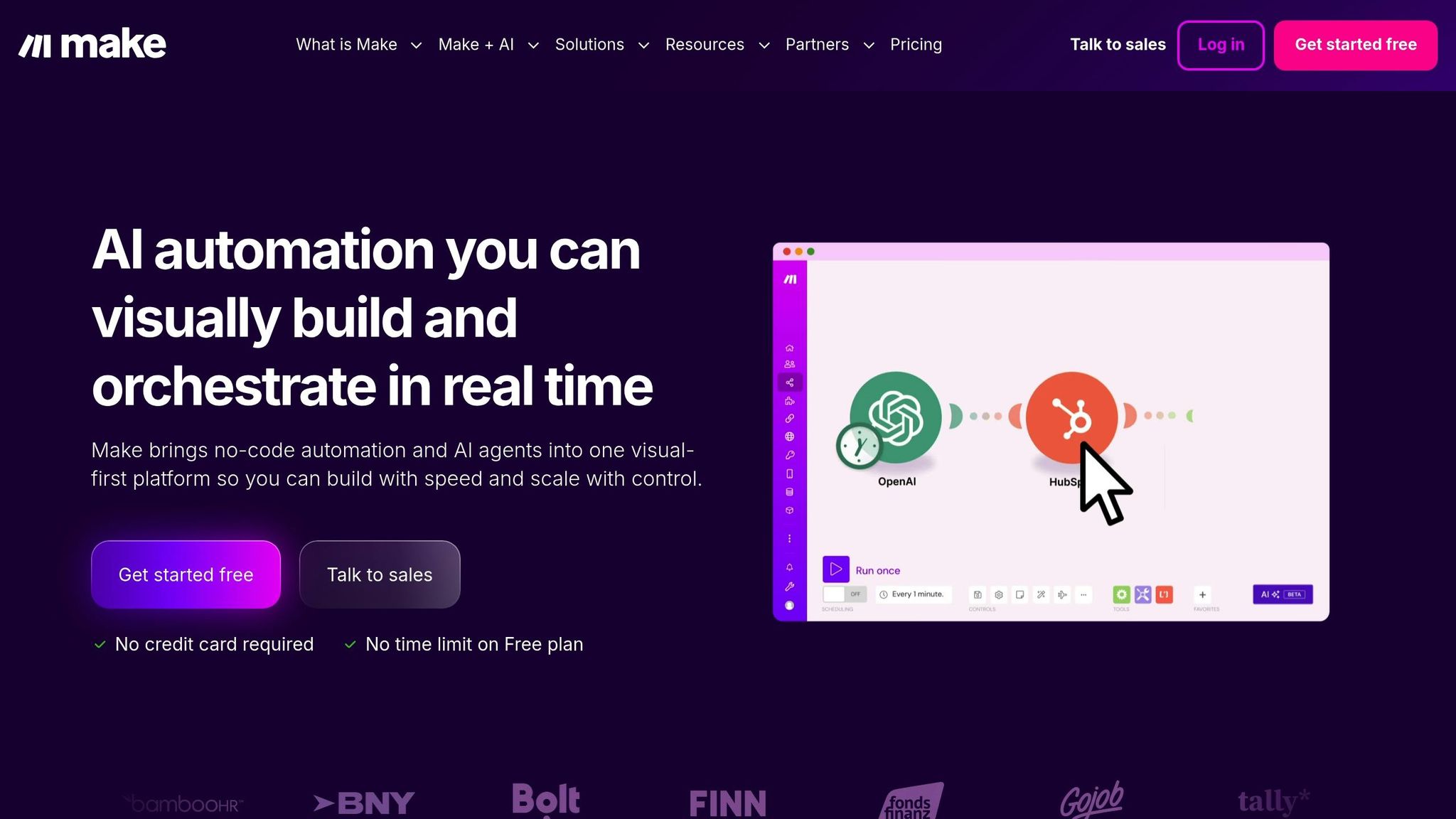
Your Cash Flow Analysis Across Multiple Bank Accounts With Make.com
What Cash Flow Monitoring and Banking Integration Mean
Cash flow monitoring is all about keeping a close eye on the movement of money into and out of your business. It’s not just about checking balances - it’s about understanding the timing, amounts, and patterns of your cash flow. This level of insight is crucial for making smart financial decisions that can shape your company’s future.
Banking integration takes this process a step further by directly linking your bank accounts with your accounting tools. This connection automates tasks like capturing transactions, matching them to the right records, and keeping your books up to date in real time. With this setup, businesses can streamline cash management and focus on making informed decisions.
Grasping these fundamental concepts is the first step toward implementing systems that can transform how you manage your finances.
What Cash Flow Monitoring Does
For startups and businesses experiencing rapid growth, keeping tabs on cash flow is essential. It allows you to measure your runway - how long your current cash reserves will last given your current spending pace. Without this visibility, you could unknowingly make spending decisions that put your business at risk.
Proactively monitoring cash flow gives you the flexibility to adjust spending, speed up collections, or secure funding before challenges escalate. Recognizing patterns - like seasonal trends, months with tighter cash flow, or upcoming large payments - helps you plan strategically instead of constantly reacting to surprises.
"As we scaled, budgeting and cash flow became critical." - Luka Mutinda, Founder and CEO @Dukapaq
Access to real-time data empowers finance teams to create accurate forecasts, evaluate different scenarios, and make quick, informed decisions.
How Banking Integration Improves Cash Flow Visibility
Without banking integration, finance teams often spend hours manually pulling banking data. This includes downloading statements, entering transactions by hand, reconciling accounts, tracking payments, and updating cash balances. These manual processes not only take time but also open the door to errors and delays.
Banking integration simplifies this by enabling secure, automated data exchange and reconciliation. For example, when a vendor payment is initiated, the integration software processes it - whether it’s through ACH, wire transfer, or check - and updates both accounts payable and cash balances automatically. This streamlined process ensures data flows seamlessly, which is essential for real-time monitoring.
With integration, finance teams can view their cash position at a glance. Dashboards provide live updates on account balances, transaction histories, payment statuses, and available funds across all accounts and locations. This real-time visibility allows for faster, better-informed decisions compared to the slower, periodic updates of manual tracking.
Better visibility also means better liquidity management. It helps prevent overdrafts, improves working capital management, and supports smarter investment decisions. For businesses with multiple banking relationships, integration simplifies operations by consolidating data and reducing the risk of errors. Every transaction is automatically recorded, capturing all the critical details, which saves time and reduces compliance risks.
Step 1: Review Your Current Banking and Accounting Setup
Before integrating your banking systems with cash flow monitoring software, it’s essential to take stock of your existing financial setup. This step helps you avoid technical hiccups and ensures the integration aligns with your business's unique needs. Think of it as creating a roadmap - documenting your current systems will help you sidestep compatibility issues and smooth out the integration process. This groundwork is crucial for the steps that follow.
Identify Your Banking and Transaction Needs
Start by outlining your banking structure. List all your bank accounts, grouping them by location, department, or business entity. For instance, a startup may only have a couple of accounts, while a larger company might operate with accounts spread across multiple banks or regions.
Next, evaluate how often you process transactions. Whether it’s daily, weekly, or monthly, this frequency will dictate how often you need to monitor cash flow and the system capacity required. A business processing hundreds of transactions daily will need a more robust system than one handling only a few dozen per week.
If your business operates internationally, consider whether multi-currency support is necessary. This ensures accurate cash flow tracking across different regions. Additionally, identify the payment methods you use - like ACH transfers, wire transfers, commercial cards, or checks - since each requires specific handling during integration.
Pay close attention to your cash flow margins. For businesses with tight margins, daily monitoring and instant alerts for low balances may be critical. On the other hand, a company with more stable reserves might only need weekly reviews.
Check Compatibility with Your Accounting Software
Your accounting software plays a central role in the integration process, so it’s vital to confirm its capabilities. First, check if it supports banking integration through pre-built connectors or APIs. Not all platforms offer the same level of connectivity.
Understand the depth of integration your vendor provides. Some systems only offer one-way data syncing, while others allow two-way communication, enabling you to initiate payments directly from your accounting platform.
Make sure your specific software version supports the available integration options. Older systems might have limited connectivity and may rely on manual file-based transfers instead of real-time API connections, which could limit visibility into your cash flow.
Automation is key. Ensure your software can handle automated reconciliation. For example, when a customer payment hits your bank account, the integration should automatically match it to the correct invoice and update your accounts receivable and cash accounts. Without this capability, you could miss out on many of the efficiency benefits integration offers.
Finally, verify that your system complies with relevant security and regulatory standards, especially if you handle sensitive customer data or operate in a regulated industry. Testing the integration in a sandbox environment before full deployment can help you catch potential issues early.
Plan for Future Growth
Your integration setup should be able to scale alongside your business. Think about your growth plans over the next one to two years. Whether you’re entering new markets, adding product lines, or significantly increasing transaction volumes, these changes will place new demands on your financial systems.
Check if your current systems can handle a surge in transaction volume without performance issues. A setup designed for 500 monthly transactions might falter if that number jumps to 5,000. Also, review your vendor’s roadmap for any upcoming features that align with your future needs.
If you anticipate acquiring other businesses or creating subsidiaries, look for systems that support consolidated reporting across multiple entities. Your integration should also accommodate additional banking relationships as your business grows.
Don’t overlook compliance and security. As businesses expand, regulations often become more complex, especially when crossing state or international borders. Ensure your banking and accounting platforms meet industry-standard security certifications and can adapt to evolving compliance requirements.
Lastly, remember that implementing cash flow monitoring systems can take anywhere from two to twelve months, depending on your resources and the complexity of your setup.
Step 2: Choose the Right Integration Method
After evaluating your current banking and accounting setup, the next step is selecting the best way to connect them. This choice impacts how quickly your financial data updates, the level of technical know-how required, and the security measures you can maintain. The two main options are API-based integration for real-time updates and file-based transfers for systems that don’t support direct connections.
API-Based Integration for Real-Time Data
API-based integration establishes an automated, direct link between your bank and accounting software, syncing transaction data as it happens. Essentially, it’s a seamless pipeline that moves financial information continuously and without manual input.
This method relies on Application Programming Interfaces (APIs), which are standardized protocols enabling different software systems to communicate. For example, when a transaction occurs in your bank account, the API captures it immediately, matches it with the corresponding invoice in your accounting software, and updates records like accounts receivable and cash balances - all without human involvement.
Platforms like SVB Go and Sage Intacct have simplified API integration. SVB Go combines banking, commercial card, expense management, and liquidity tools into one dashboard, while APIs make it easy to link this ecosystem with your accounting software. Similarly, Sage Intacct Cash Management connects directly to banks, automating transaction matching and eliminating the need for manual reconciliation.
To set up API integration, you’ll need API credentials from your bank. This typically involves registering your application and obtaining authentication tokens or API keys. Once you have these, configure your accounting software by entering the bank’s API endpoint URL and your credentials. Map the bank’s data fields (like transaction types and account numbers) to those in your accounting system to ensure everything aligns.
Testing is essential. Run test transactions to confirm that data flows correctly before going live. After implementation, set up monitoring processes to catch any issues, like failed connections or synchronization errors, and configure alerts to notify your team if problems arise.
Keep in mind that API integration requires technical expertise for setup and maintenance. If your IT team has the necessary skills - or you’re open to hiring external consultants - this option offers the fastest and most accurate cash flow visibility.
For businesses without API support, file-based transfers provide a more traditional alternative.
File-Based Transfers for Older Systems
If you’re using legacy systems that don’t support APIs, file-based transfers are a practical option. With this method, data files are exchanged periodically - daily, weekly, or monthly - to update your financial records.
File transfers typically use formats like OFX (Open Financial Exchange), CSV (Comma-Separated Values), or MT940 (a SWIFT standard for bank statements). The process begins with exporting transaction data from your bank, either through an online portal or by requesting files from your banking manager. These files are then imported into your accounting software, which matches transactions to existing records and updates your cash position.
Timing is the key difference. Unlike API integration, which updates data in real time, file-based transfers introduce delays - transactions won’t appear in your system until after the file is processed. However, this method requires minimal technical knowledge and works with virtually any banking system capable of exporting transaction data.
To streamline this approach, set a regular transfer schedule. For example:
- Daily transfers suit businesses with high transaction volumes.
- Weekly transfers work for small to medium-sized businesses with steady cash flow.
- Monthly transfers are sufficient for organizations with predictable income and expenses.
Modern accounting platforms like Sage Intacct can automate file imports through scheduled tasks, reducing manual effort. While not as immediate as APIs, file-based transfers are a reliable solution for businesses that can tolerate slight delays in cash visibility.
| Integration Method | Real-Time Access | Technical Requirements | Best For | Implementation Complexity |
|---|---|---|---|---|
| API-Based Integration | Yes, direct updates | Significant technical expertise | Businesses needing real-time data | Higher |
| File-Based Transfers | No, batch processing | Minimal technical knowledge | Businesses with older systems | Lower |
Security and Compliance Requirements
No matter which integration method you choose, security and compliance must remain a priority. Financial data is sensitive, and regulations like the Gramm-Leach-Bliley Act (GLBA) and the Fair Credit Reporting Act (FCRA) impose strict rules for protecting it.
API-based methods often include advanced security features like encrypted data transmission (via HTTPS/TLS), token-based authentication, and role-based access controls to limit who can view sensitive financial data.
For file-based transfers, security measures include encrypted file storage, secure transmission protocols, and restricted access. Both methods should also generate audit trails to document all data access and modifications, ensuring compliance with regulatory requirements.
Enterprise-grade security is non-negotiable. Look for providers with certifications like SOC 2 Type II, which confirms they’ve passed independent audits of their security practices. If your integration involves payment processing, ensure it complies with PCI DSS (Payment Card Industry Data Security Standard).
To maintain accuracy and scalability, your integration partner should standardize transaction data across various financial institutions. This helps prevent formatting inconsistencies that could lead to errors in your records.
Don’t forget the human factor. Set clear protocols around who can access integration settings and banking credentials. Use role-based permissions to limit access to only what’s necessary for each employee. Regular security training can also help your team spot potential threats, such as phishing attempts.
Implementation timelines vary depending on the method and resources available. On average, integrating cash flow data takes between two and twelve months. Be sure to account for this timeframe in your planning, especially if you’re working toward deadlines for investor reports or audits.
sbb-itb-17e8ec9
Step 3: Set Up Real-Time Cash Flow Monitoring
Once integration is complete, it’s time to configure your system for real-time cash flow monitoring. By centralizing data from all your financial sources, automating transaction matching, and setting up timely alerts, you can save countless hours of manual work while keeping a precise, up-to-the-minute view of your cash position. This approach simplifies operations by seamlessly linking data sources, reconciliation processes, and alert systems.
Centralize Financial Data from Multiple Sources
For many growing businesses, funds are often scattered across different accounts - whether it’s multiple bank accounts, credit card processors, or payment platforms. Without a centralized system, finance teams end up wasting hours logging into various platforms, downloading files, and manually reconciling data in spreadsheets.
A centralized cash management platform solves this issue by pulling data from all your banking relationships, ERP systems, and accounting software into a single dashboard. This software collects account balances, transaction histories, payment statuses, and statements from each source, converting them into a consistent, unified view. For businesses juggling multiple banking relationships, this consolidated approach saves time and reduces complexity. Instead of navigating multiple portals, you get a real-time snapshot of your financial health in one place.
Automate Transaction Reconciliation
After centralizing your data, the next step is to automate transaction reconciliation. This process uses integration software to match transactions across systems without the need for manual input. For example, when a customer payment is received, the system automatically matches it to the corresponding invoice and updates your records. Similarly, vendor payments are tracked and reconciled as they clear, whether through ACH, wire transfer, or checks.
Automating reconciliation reduces the likelihood of errors from manual data entry and significantly cuts down the time spent resolving mismatches. Plus, it creates detailed audit trails, which are invaluable during financial reviews or audits. With automation handling the bulk of the work, your team only needs to intervene when exceptions arise. Many businesses complete this transition in just two to four weeks.
Set Up Alerts for Cash Flow Thresholds
Real-time monitoring becomes even more effective when paired with automated alerts that flag potential issues. Configure alerts for situations like low account balances, unusual transactions, or pending payments. Tailor these thresholds to fit your operational needs. For instance, if your bi-weekly payroll requires $50,000, you might set an alert for balances dropping below $75,000.
To take it a step further, integrate forecasting tools directly into your monitoring system. This allows projections to update in real time alongside your current data. Advanced analytics can refine these thresholds over time, adapting recommendations as your business grows. With real-time insights, you can make proactive decisions about liquidity and financial planning.
Some platforms, like Lucid Financials, enhance this experience by combining real-time monitoring with AI-driven insights. For example, you can ask questions like, “What’s our current cash runway?” or “Can we afford to hire two more engineers this month?” directly through tools like Slack, and receive instant, data-backed answers.
Finally, security should be a top priority when automating cash flow monitoring across multiple banking systems. Ensure your integration software uses encrypted connections, secure authentication methods, and detailed audit trails. Additionally, implement strict access controls and conduct regular security audits to keep your financial data safe.
Step 4: Set Up Automated Reporting and Payment Processing
Once real-time monitoring is in place, the next step is to configure automated reporting and payment processing. This automation not only saves time but also allows finance teams to shift their focus from tedious data collection to more strategic tasks.
Build Standard Financial Reports
Creating financial reports manually can be a time-consuming process prone to errors. Many finance teams spend hours each week logging into various platforms, downloading data, reformatting spreadsheets, and compiling reports for stakeholders. By automating this process with standardized templates, you can eliminate manual work and reduce the risk of mistakes.
Start by designing templates for the reports you use most frequently. These might include:
- Cash position summaries: A snapshot of current balances across all accounts.
- Categorized inflows and outflows: A breakdown of where money is coming from and going.
- Liquidity positions: Organized by location or business entity for a clear view of available resources.
These templates pull data directly from integrated systems, updating automatically as new transactions occur. Tailor the reports to suit different audiences. For example:
- Investor reports: Include detailed cash flow summaries, liquidity analysis, and forward-looking forecasts. These are typically prepared monthly or quarterly.
- Management dashboards: Offer real-time insights into cash positions, upcoming obligations, and key performance indicators.
- Operational reports: Provide weekly updates on cash flow trends and payment schedules, helping teams plan effectively.
If your business operates globally, ensure your templates support multi-currency functionality with automatic conversions. This ensures compliance with international standards and provides an accurate consolidated view of your financial health.
The benefits can be significant. For example, American Airlines reduced weekly reporting time by 20% after automating its processes. This freed up their finance team to focus on tasks like identifying trends, running scenario models, and supporting long-term decision-making. With these templates in place, the next step is to integrate payment processing for seamless updates.
Connect Payment Processing
Automating payment processing streamlines the handling of outgoing funds while reducing errors. Instead of juggling multiple systems for payments and updates, integrated software handles everything in one place. Payments are executed directly from the accounting platform, and all related records are updated automatically in real time.
Here’s how it works: When a payment is initiated - whether it’s an ACH transfer, wire payment, or international transaction - the integration software ensures it’s processed correctly through the appropriate banking channel. It tracks the payment’s status and updates accounts payable and cash balances as soon as the transaction is completed.
For incoming payments, the system captures customer payments as they hit your bank account. It then matches these payments to corresponding invoices and updates both accounts receivable and cash accounts - no manual input required.
This level of automation delivers several advantages:
- Improved accuracy: Reduces errors caused by manual data entry.
- Faster processing: Helps capture early payment discounts.
- Comprehensive audit trails: Tracks who initiated transactions, when they occurred, and how they were processed.
For businesses with high transaction volumes or tight margins, this real-time visibility is essential. Treasurers and CFOs can rely on up-to-date information to make decisions quickly and confidently. Once payments are processed, it’s crucial to ensure all systems reflect these updates immediately.
Ensure Real-Time Updates Across Systems
Real-time synchronization between systems eliminates discrepancies that can arise in disconnected environments. For example, your accounting software might show one cash balance while your banking portal shows another - an issue that real-time updates can prevent.
This requires API-based connections between your payment platform, banking systems, and accounting software. These APIs ensure that transaction data flows automatically without manual intervention. Customizable dashboards can then display key cash positions and movements as they happen. Pending transactions are tracked separately, so you always know what’s committed but not yet cleared. This keeps your available funds calculations accurate and helps avoid overdrafts or missed payments.
Additionally, connecting forecasting tools to your system ensures projections update in real time as new data comes in. This gives you a clear picture of your current financial position while also providing insights into future cash flow, enabling proactive management.
Platforms like Lucid Financials take this a step further by combining real-time updates with AI-driven insights. For example, you can ask questions like “What’s our current cash balance?” or “Can we cover next week’s vendor payments?” through Slack and receive instant, accurate answers based on live data.
Real-time updates also simplify month-end and quarter-end closing processes. When payment processing, banking data, and accounting records are fully integrated, reconciliation happens automatically as transactions occur. This reduces the time spent on manual data gathering and allows your finance team to focus on analysis and planning. Many companies report completing their monthly close several days faster after adopting such integrations.
Security is a key consideration when connecting these systems. Ensure data transfers are encrypted, implement role-based access controls, and maintain detailed audit trails for compliance. Fraud prevention measures, such as payment approval hierarchies and duplicate payment detection, should also be in place.
Measure Success and Improve Your Integration
Once your integration is up and running, it’s crucial to measure its performance to ensure it’s delivering the efficiency and visibility you need.
Key Metrics to Track Integration Performance
To evaluate how well your integration is working, focus on these key performance indicators:
- Reconciliation error rates: Start by tracking discrepancies between your bank statements and accounting records. Ideally, after integration, these errors should be nearly eliminated. Monitor how many transactions need manual intervention each week compared to your pre-integration baseline.
- Transaction processing times: This measures how quickly data moves from your banking system to your cash management platform. Real-time systems should process transactions within minutes. If delays occur, log the average time it takes for a transaction to appear in your accounting software and address any bottlenecks.
- Data accuracy rates: This reflects the percentage of transactions that are correctly captured and categorized without manual fixes. For example, if 95% of transactions are accurate, your team only needs to review the remaining 5%. If accuracy dips below 90%, it’s time to revisit your mapping rules.
- Manual task reduction: Measure how much time your team saves by tracking the percentage of manual tasks eliminated month-over-month.
- Cash visibility percentage: This shows how much of your total cash position is visible at any given time. For instance, Subway achieved 98% visibility after moving away from manual processes. If your visibility is lower, check whether all your accounts and banking relationships are fully integrated.
- Month-end close timeline: A well-functioning integration should shorten the time it takes to finalize financial statements. Track this regularly and investigate any delays that suggest your system isn’t keeping up with transaction volumes.
By monitoring these metrics, you can identify areas for improvement and ensure your integration stays effective.
Regular Updates for Growth
As your business evolves, so should your integration. While quarterly reviews are a good practice, certain situations demand immediate action.
- Increased business volume: If you’re entering new markets, acquiring companies, or expanding product lines, your transaction volume and complexity will grow. A system designed for 1,000 transactions may struggle with 10,000. Check whether your API connections can handle the load or if your data refresh frequency needs adjustment.
- Changes in banking relationships: Switching banks, adding new accounts, or closing old ones requires immediate updates to your data connections and reconciliation rules. Delaying these updates could disrupt your integration.
- New accounting software or ERP systems: When upgrading systems, validate that data flows correctly and automated matching rules still work as intended. Perform these checks before launching the new software to avoid interruptions.
- Recurring reconciliation errors: If the same types of transactions repeatedly fail to match, update your mapping rules instead of relying on manual fixes. Review unmatched transactions weekly and refine your logic accordingly.
- Manual workarounds: If your finance team starts creating manual processes to fill gaps, it’s a sign your integration needs attention. Document these workarounds and collaborate with your software vendor to automate them.
Additionally, assess whether your current integration method is still suitable. For example, if you began with file-based transfers due to legacy systems, you might now be able to upgrade to API-based integration for real-time data access.
Use Cash Flow Data for Business Decisions
Once your integration is optimized, use the insights from your cash flow data to guide strategic decisions. Real-time data can inform hiring plans, expansion opportunities, and fundraising strategies.
- Hiring: With accurate cash flow forecasts, you can confidently plan for hiring expenses over the next 12–24 months. For example, instead of guessing whether you can afford three new engineers, you can see exactly how their salaries will impact your runway.
- Expansion: Scenario modeling tools let you simulate the financial impact of opening new locations, launching products, or entering new markets. These tools provide up-to-date projections, helping you weigh best-case, worst-case, and most-likely outcomes before committing resources.
- Fundraising: Comprehensive cash flow reports demonstrate to investors that you have strong financial controls and visibility. Historical patterns and forecasts can help you time your fundraising efforts and determine how much to raise. Faster financial close timelines, enabled by automation, also enhance your credibility with investors.
Regularly review cash flow data with your leadership team, translating technical metrics into actionable insights. For instance, instead of simply reporting a $150,000 monthly burn rate, explain how it affects hiring capacity or how long you can operate before needing additional funding.
Platforms like Lucid Financials simplify decision-making by combining real-time cash flow data with AI-powered insights. For example, you can ask, “Can we afford to hire two more people this quarter?” or “What’s our runway if we open a new office?” and get instant, data-driven answers.
Build a Proactive Finance Team
Your finance team should take an active role in managing and improving the integration. Assign a dedicated owner or small team to monitor performance, identify opportunities for improvement, and coordinate updates with software vendors. Create a feedback loop where frontline staff report challenges and suggest enhancements.
Focus optimization efforts on high-impact, low-effort changes first. For example, adjusting alert thresholds based on three months of data can significantly improve relevance with minimal effort. Document all customizations and updates to maintain institutional knowledge and streamline future changes.
Lastly, ensure your integration meets data security and compliance standards while delivering efficiency gains. Use encrypted connections for data transfers, maintain audit trails for all activities, and conduct regular security assessments to identify potential vulnerabilities. These measures protect your data and ensure compliance with financial regulations.
Conclusion
Linking cash flow monitoring with banking systems transforms the way businesses manage their finances. This process requires thoughtful planning, from evaluating your current setup to selecting the best integration method, configuring real-time monitoring, and setting up automated reporting. Each step reduces manual work, cuts down errors, and provides instant visibility into your cash position.
These advantages aren’t just for large corporations - small businesses and startups can benefit too. By automating financial processes, growing companies can scale without adding unnecessary administrative overhead.
Real-time data changes the way financial decisions are made. Instead of relying on outdated reports, you can see exactly where your cash flow stands at any moment. This transparency helps answer critical questions quickly: Can you afford to hire more staff? How will opening a new office impact your financial runway? Should you adjust the timing of your next funding round based on your current burn rate?
This level of insight also opens the door to automation. Tasks like reconciliation, which once required hours of manual effort, can now be completed in minutes with automated processes that include full audit trails. This means your team spends less time on routine tasks and more time focusing on strategies to grow your business.
For startups and fast-growing companies, integrated cash flow monitoring provides the foundation for confident, data-driven growth. It offers CFO-level insights without needing a full-time CFO, enabling you to compare financial scenarios, track burn rates, and create investor-ready reports instantly. Platforms like Lucid Financials take this a step further by combining these tools with AI-powered insights. You can even ask questions in plain English through tools like Slack and get immediate, data-backed answers about your finances.
The integration approach you choose should align with your current needs while preparing for future growth. API-based integration offers real-time updates for modern systems, while file-based transfers can work for legacy platforms until you’re ready to upgrade. Advanced ERP systems handle technical challenges while ensuring security and compliance. These choices are critical for aligning your financial tools with your long-term growth strategy.
Even after integration, it’s essential to keep monitoring and updating your systems. Regularly review performance metrics, adjust configurations as your business evolves, and use cash flow data to guide decisions about hiring, expansion, and fundraising. The ultimate goal is to turn raw financial data into actionable insights that keep your business financially strong and ready for growth.
With the right system in place, you’ll gain real-time financial visibility that grows with your business - empowering you to make smarter decisions faster and focus on what truly matters: building and scaling your company.
FAQs
How do I know if my banking and accounting systems are ready for cash flow monitoring integration?
To see if your banking and accounting systems are ready for cash flow monitoring, start by confirming that your bank supports secure API connections or file-sharing for financial data. Many U.S. banks offer these features, but you'll want to double-check that they work with your chosen software.
Then, ensure your accounting software can sync data in real time and is set up to categorize transactions consistently. Having a well-organized chart of accounts and solid bookkeeping practices is key to smooth integration and useful insights.
If you're using a platform like Lucid Financials, this process becomes even easier. Lucid connects directly to your banking systems, delivering real-time updates, clean records, and investor-ready reports - all while simplifying cash flow monitoring.
What’s the difference between API-based integration and file-based transfers for cash flow monitoring, and how do I decide which is best for my business?
API-based integration lets your cash flow monitoring software connect directly to your bank’s systems, offering real-time updates and instant access to financial data. This approach is perfect for businesses that need current insights and streamlined workflows without manual intervention.
On the flip side, file-based transfers involve manually uploading or downloading financial data files, such as CSV or Excel spreadsheets. While this requires more effort, it’s a practical option for businesses with simpler financial operations or limited technical capabilities.
When deciding between these methods, think about your business’s size, transaction volume, and how crucial real-time data is to your operations. If automation and efficiency are top priorities, API-based integration is likely the way to go. However, for companies with fewer transactions or less frequent reporting needs, file-based transfers can get the job done.
How does real-time cash flow monitoring and automated reporting enhance financial decision-making for my business?
Real-time cash flow monitoring and automated reporting offer a transparent and current view of your financial situation. With immediate access to precise data, you can easily track trends, catch potential problems early, and make decisions with greater confidence.
These tools also simplify financial management by cutting down on manual tasks and keeping your records accurate and ready for investors. This allows you to dedicate more time to expanding your business, knowing your financials are in good shape.