If your startup moves money in more than one currency, FX swings can cut into cash, margins, and reporting fast. I’d choose a tool based on three things first: how well it shows exposure, how much work it automates, and how well it fits the systems your finance team already uses.
Here’s the short version:
- AI FX tools help with 3 core jobs: exposure tracking, rate-swing modeling, and hedge support
- The main tool types differ a lot: some focus on automated hedging, some on treasury controls, and some on payments plus multi-currency balances
- The right pick depends on fit: transaction volume, approval rules, reporting needs, and team experience matter more than a long feature list
- Controls still matter: approval flows, audit logs, and bank/accounting integrations should be near the top of the list
- For many startups, the goal is simple: cut spreadsheet work, reduce guesswork, and make FX decisions less reactive
A few details stand out from the list in this article:
- Kantox fits teams that want heavy automation for FX hedging
- GTreasury fits teams that need treasury and hedge oversight in one place
- Treasury4 Forex4 fits teams already using Treasury4 and wanting FX workflows inside that setup
- Deaglo FX Assistant fits finance teams that want AI-guided analysis but still want humans making the final call
- WorldFirst fits e-commerce businesses and teams with APAC payment flows that need multi-currency accounts and simple cross-border handling
Quick Comparison
| Tool | Best For | Main Focus | Setup Level | Automation Level |
|---|---|---|---|---|
| Kantox | Teams wanting policy-driven FX handling | Dynamic hedging | High | High |
| GTreasury | Teams needing treasury plus hedge oversight | Treasury + hedge management | Medium | Medium |
| Treasury4 Forex4 | Existing Treasury4 users | FX exposure + hedge workflows | Medium | Medium |
| Deaglo FX Assistant | Human-led finance teams | AI-guided decision support | Low–Medium | Medium |
| WorldFirst | E-commerce and APAC-linked flows | Payments + multi-currency accounts | Low | Low–Medium |
If I were narrowing this list, I’d start with one question: Do you want a tool that helps you decide, or one that can act under your policy? That answer usually points you to the right category fast.
sbb-itb-17e8ec9
What to Look for in AI FX Risk Tools
Pick tools that work for lean finance teams. You want fast visibility into exposure, clean links to the systems you already use, and a setup that doesn’t need a full-time treasurer to run.
Core Features That Cut Manual Work
The best AI FX tools give you real-time exposure tracking. That means one view of what you owe and what you’re owed by currency, translated into USD. Many also show cash balances across currencies, pulling in bank balances plus expected inflows and outflows into the same dashboard. At a glance, you should be able to see open receivables, payables, and hedge coverage by currency and maturity.
Current exposure is only part of the picture. Predictive analytics help teams look ahead instead of staring in the rearview mirror. Machine learning models can factor in seasonality, macro indicators, and implied volatility to produce range estimates for rate moves, not just one best-guess number. In practice, scenario modeling should show upside and downside ranges rather than a single forecast.
You’ll also want hedging recommendation engines. These tools review exposures, projected cash flows, and risk tolerance to suggest hedge types, tenors, and amounts. For teams without deep treasury experience, clarity matters a lot. The tool should spell out why it’s suggesting a hedge and what it will cost, instead of quietly placing trades in the background.
This is where AI FX software earns its keep: better visibility, less spreadsheet work, and no need to add headcount just to stay on top of currency risk.
Integrations, Controls, and Audit Readiness
Visibility doesn’t help much if the data is stale or the workflow is loose.
A tool is only as good as the data flowing into it. Look for native integrations with your accounting platform, bank feeds, and payment processors. Invoice, bank, and payment data should update exposure and realized gains or losses on their own, with no manual entry.
Controls matter too, even for small teams. Role-based access and approval workflows aren’t optional. Auto-approve hedges below $100,000 trade size and require CFO approval above that. Every action - who started, changed, or approved a hedge - should be logged with a timestamp.
Reporting should be ready to share, not something your team has to rebuild at the last minute. Exportable reports for board review should show sensitivity analyses, hedge coverage ratios, and runway impact in dollars. That makes FX risk management easier to audit and a lot easier to explain to investors.
These are the filters that shape the roundup below: fit, complexity, and depth of automation.
Roundup: AI Tools for Currency Exchange Risk Management
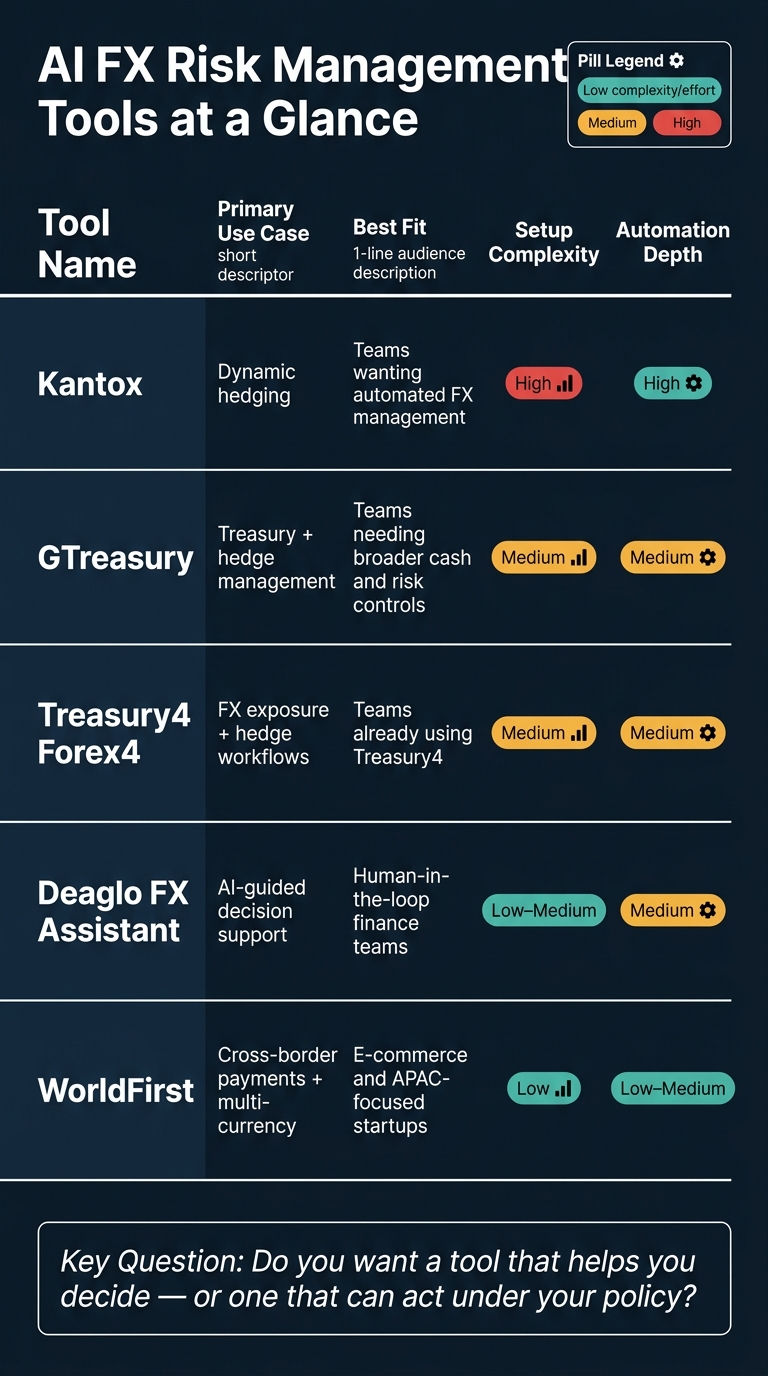
AI FX Risk Management Tools Compared: Automation, Setup & Best Fit
The tools below cover a few different jobs: automated hedging, decision support, and cross-border payments. To keep things apples-to-apples, each one is judged using the same filters from the previous section: visibility, controls, integration, and automation depth.
Kantox and GTreasury
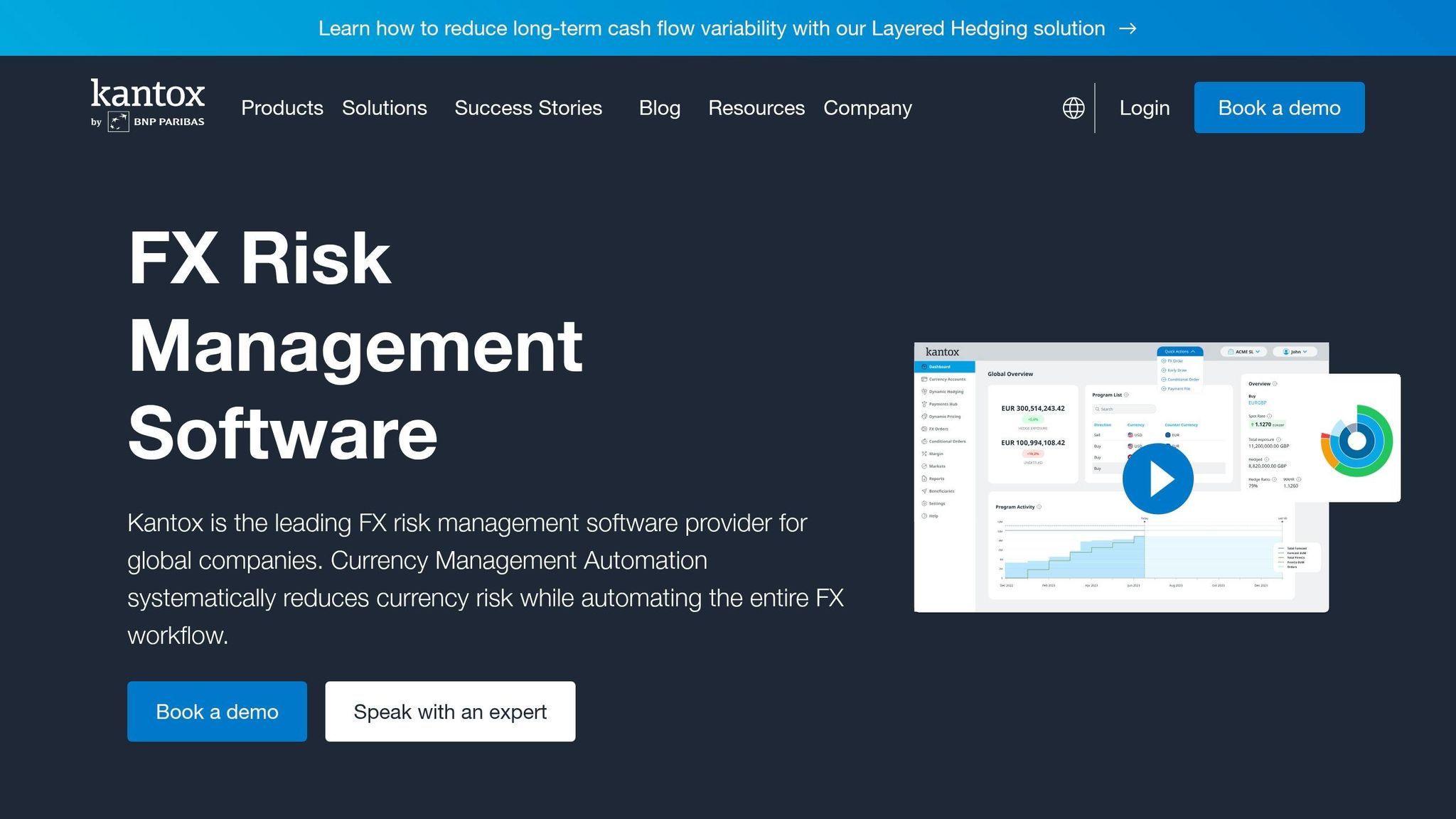
Kantox is a leader in dynamic hedging and is owned by BNP Paribas. It stands out in Europe and works well for teams that want end-to-end FX exposure management with very little manual work.
GTreasury brings treasury and hedge management into the mix for teams that need broader cash and risk controls, not just FX handling.
Treasury4 Forex4, Deaglo FX Assistant, and WorldFirst

Treasury4 Forex4 is Treasury4's FX module for exposure tracking and hedge workflows. It makes sense for teams that want FX risk features inside broader finance operations.
Deaglo FX Assistant gives teams AI-guided exposure analysis while keeping execution decisions in-house. That setup is a good fit when finance leaders want support, but don't want to hand over the keys.
WorldFirst is a strong fit for e-commerce startups and APAC-linked cash flows. It offers multi-currency accounts, clear pricing, and support for complex transactions.
Comparison Table: Use Case, Complexity, and Automation Depth
Use the table below to line up each tool's depth with your team's risk policy and transaction volume.
| Tool | Primary Use Case | Best Fit | Key Strength | Setup Complexity | Automation Depth |
|---|---|---|---|---|---|
| Kantox | Dynamic hedging | Teams wanting automated FX management | Leader in dynamic hedging | High | High |
| GTreasury | Treasury and hedge management | Teams needing broader cash and risk controls | Treasury and hedge platform | Medium | Medium |
| Treasury4 Forex4 | FX exposure and hedge management | Teams using Treasury4 | FX exposure and hedge module | Medium | Medium |
| Deaglo FX Assistant | AI-guided analysis | Human-in-the-loop teams | Decision support | Low–Medium | Medium |
| WorldFirst | Cross-border payments with multi-currency cash handling | E-commerce and APAC-focused startups | Multi-currency accounts and clear pricing | Low | Low–Medium |
How to Choose the Right Tool for Your Startup
Match the Tool to Transaction Volume and Risk Policy
Use the table as a shortlist. The real decision comes down to volume, automation, and control.
In plain English: don’t pick a tool just because it has the longest feature list. Pick the one that fits how your startup moves money, how much FX risk you can take on, and how much oversight your team wants day to day.
If you need more than basic conversion, go with a platform that supports the hedges you need and fits your team’s experience level. A small team without deep treasury knowledge may do better with human-in-the-loop support than with a fully automated platform that expects a lot of in-house judgment.
Check Stack Fit, Setup Speed, and Finance Coverage
A tool that doesn’t connect to your accounting or ERP stack will add manual work. And that’s where things start to drag.
Before you commit, check how the FX platform syncs with your accounting setup and whether it can produce board-ready reports. That matters more than many teams expect. If reporting is clunky, your finance team ends up patching things together by hand.
For compliance, put security near the top of the list. Look for platforms with enterprise-grade security and SOC 2-ready controls.
Those three checks - fit, speed, and reporting - usually decide whether the tool will cut work or just move it around.
Conclusion: The Right AI FX Tool Gives You Visibility, Speed, and Control
FX swings can eat into runway, margins, and USD reporting long before the team sees the damage.
Once you can see your exposure, the next issue is simple: how much automation can your team handle well? AI FX tools do their best work when they automate exposure detection, scenario modeling, and policy-based execution, while still fitting your transaction volume, reporting needs, and finance stack.
For startups, the aim isn't full automation at any price. It's disciplined execution that finance can rely on. The right AI FX tool gives startups a clear view of exposure, a faster way to respond when rates move, and steady, documented policies that make currency risk part of day-to-day financial operations instead of a surprise.
FAQs
How much FX risk justifies a tool?
If currency swings are eating into your margins or making cash flow hard to predict, it may be time to use an automated tool. When a 5% exchange-rate move can wipe out a month’s margin, spreadsheets usually don’t give you enough visibility.
Handling multi-currency accounting by hand often turns into guesswork. Tools like Lucid Financials give you real-time visibility into inflows and outflows, so you can spot exposure before it hits your runway.
Should we automate hedging or keep humans in control?
Yes - use automation, but keep people in the loop.
Lucid handles the heavy lifting, including transaction matching, real-time FX conversions, and anomaly flagging. But it doesn’t just run on autopilot.
It auto-approves only high-confidence items. Lower-confidence exceptions go to a human for review. That setup helps teams move fast without losing visibility into what’s happening.
The upside is simple: you get speed and accuracy, while still keeping clear oversight. And that matters, because mistakes like duplicate entries or misclassifications can be caught before they affect decisions or reporting.
What integrations matter most for a startup finance team?
The most important integrations connect straight to:
- banking platforms
- payroll systems
- accounting software like QuickBooks
- communication tools such as Slack
These connections help teams cut down on manual work and avoid messy data issues. They send real-time transaction data into forecasting and reporting tools, which makes planning more accurate and day-to-day reporting much easier to trust.
They also make instant AI-generated answers possible, along with automated alerts for key metrics like burn rate and runway.